Published: 10 May 2022
Last update: 22 June 2026
5 Ways To Increase Your Online Presence
Marketing & Business Tips

In our digitally-driven world, it is rare for consumers to make decisions without first visiting the web. Think about it: When was the last time you went to a restaurant or booked a service without first stopping by your trusted friendGoogle? Whether we like it or not, the Internet has forevertransformed the way we find andinteract with businessesand ultimately make purchasing decisions.
This presents an amazing opportunity to market yourself and your business. When you efficiently capitalize on your available online resources, you no longer need to fully rely on referrals from existing clients to get new eyes on your business. These days, people trust online reviews from strangers just as much or more than they trust a recommendation from someone they know.
Check out these 5 ways to increase your online presence and drive new clients straight to your chair 🙌
1. Update Your Sola Webpage
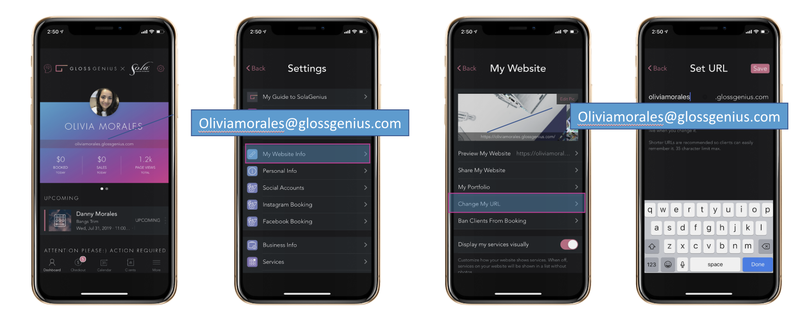
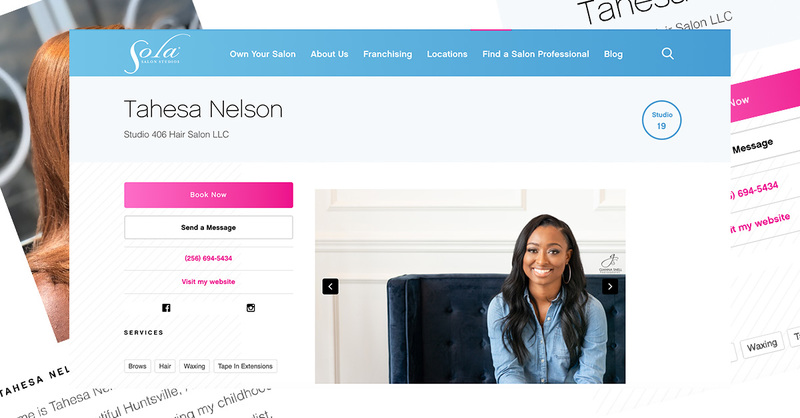
One huge perk of being at Sola is that weprovide each of our independent salon owners their very own Solawebpage. Your webpage comes complete with a photo gallery, booking link, contact information, and bio so you can show potential customers exactly who you are, what you do and how they can get in your chain. Using the Sola Pro app (free for all Sola professionals) updating your webpage is simple for you to manage yourself. Each month, we have millions of people visiting the Sola website looking for a beauty professionals just like you. Make sure you're helping your business shine.Check out this blog for a step by step guide on updating your Sola webpage!
2. Create and Claim a Google My Business Page
Google My Business(GMB) is a free business profile that allows you to easily connect with customers across Google Search and Maps. When you search a place of business on Google, a display comes up on the right side of the screen (if the business is claimed) where the owner can share their website, hours, reviews, directions, photos, and more!
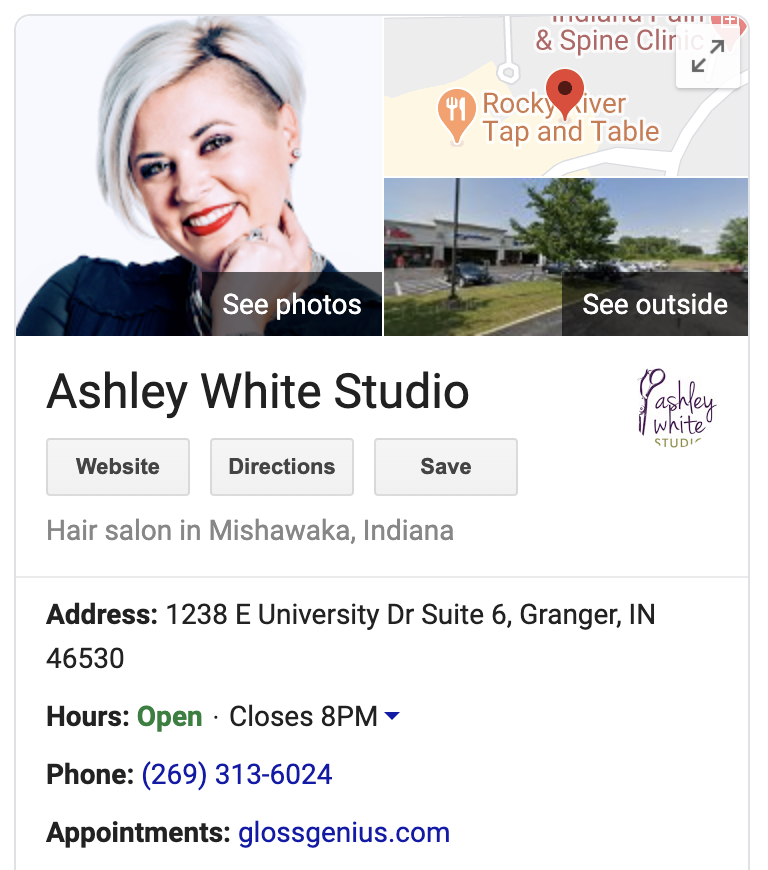
If you have not already done so, create and claim yourpage. If your GMB page has marked you closed (due to COVID), here are the steps for marking it as open:
On your computer, sign in to Google My Business
In the menu on the left, click Info
To the right, point to the section “Close this business on Google.” (To expand this section you might need to click the arrow.)
Click Mark as Open
3. Yelp Yourself
Yelp offers a space to showcase your studio, brand, photography, menu of services, approval ratingsand location in order for customers to get an overview of your vibe, offerings, and capabilities. Not only can your current clients shout your praisesfor youvia Yelp ratings and reviews, but you can also advertise with Yelp to show up even higher in search results. Check out our Yelp Guide For Beauty Professionals to get discovered!
4. Check Your Links
When is the last time you did a social media search of your business? Picture yourself doing this as a brand new client who has never seen social media profiles before. Can they immediately find your booking link? Does the linkwork? When was the last time you checked your links on your Sola webpage?It never hurts to check all of your links every few weeks. If a consumer is having a difficult experience online, that lessens the chance of them following through and booking an appointment with you! Remember, the customer experience doesn't start the minute they sit in your chair. It starts the moment they find you online!
5. Put Your Booking Link Everywhere
Now that you have all your bases covered, it’s time to put that booking link everywhere! There are many different ways people can search when trying to book an appointment with a beauty professional, so it’s really important that your link is on every platform you can think of.Check out our blog with step-by-step instructions on How to Put Your Booking Link Everywhere.