Published: 8 November 2020
Last update: 14 November 2025
Sola Pro Got A Makeover!
All About Sola
Marketing & Business Tips

Article summary:
Sola Pro - our free, Sola-exclusive education app - is all glown up! With an enhanced user experience, quicker load times, a personalized content feed, and an easier way to update your Sola webpage, with this refresh, we’ve truly put the pro in Sola Pro 💯
Now is the time to make sure you’ve downloaded the Sola Pro app, have successfully registered, and are able to access all the incredible content. Read on to learn how to get started, as well as what’s new and exciting in Sola Pro.
Getting Started with Sola Pro:
Follow these simple steps to get started (if you’ve already downloaded Sola Pro, make sure you’re using version 4.0) and skip toWhat’s New? Please note, if you’re an existing Android user, you’ll need to delete your current version of Sola Pro and install the new one.
1. Download the app from the Apple or Google Play store.
2. Register using your Sola email address.
What’s my Sola email address?
Every professional at Sola has their very own webpage on www.solasalonstudios.com, which is associated with an email address. This email address links to your Send a Message button and is the email you receive our weekly Sola newsletter every Wednesday. In order to access Sola Pro, you must use this exact email address. If you’re unsure what this email address is, simply send yourself a message from your Sola webpage and see where it goes! If you don’t have a Send a Message button, you most likely need to add your email address. Your Sola franchisee or manager can assist you with this.
3. Enter a password.
4. Log in.
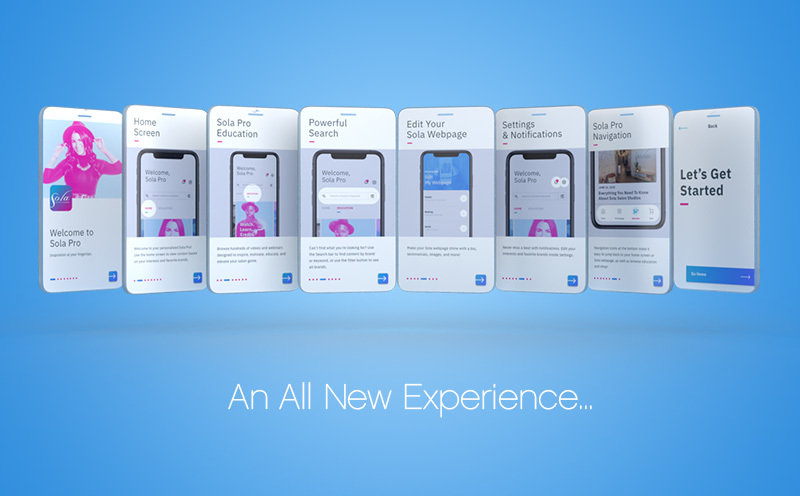
5. Follow the onboarding instructions to set up your account.
Choose your interests and favorite brands. These will live in your Account Settings, which you can edit at any time. Based on what you choose, Sola Pro will serve you personalized content that lives on the home page.
How Do I Update My App?
If you’re an existing Android user, you’ll need to delete your current version of Sola Pro and install the new one. If you're an iPhone user, a simple refresh/update will do the trick!
Many phones automatically update and refresh their apps, but this depends on each user’s personal settings. If your app doesn’t automatically update, head to the App Store, type in Sola Pro, and then click “Update”.
What’s New?
Home Screen
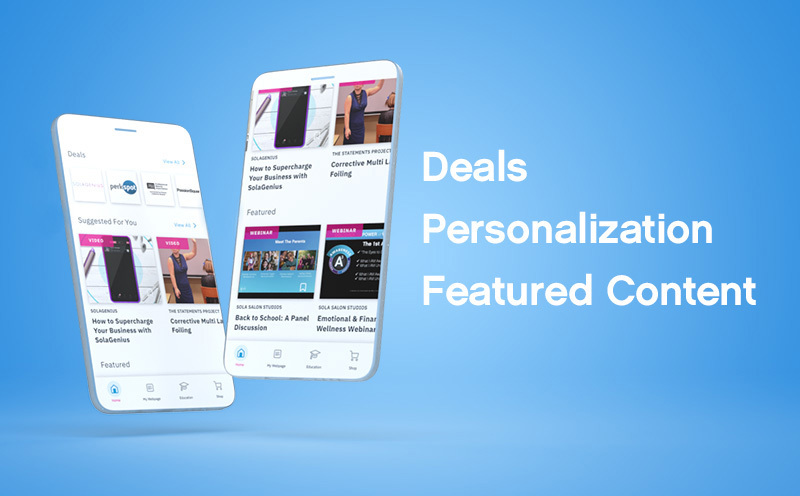
Featured Deals
Our featured deals section includes new and trending deals you won’t want to miss. To access all of the amazing Sola Pro offers, simply click the blue “View All” button.
Suggested For You
We’ve personalized your Sola Pro home page to reflect your unique interests and favorite brands! Edit this content inside Account Settings by selecting your interests and favorite brands.
Featured Webinars and Videos
Sometimes there’s a video or webinar that gets such positive feedback, we don’t want you to miss it. You can find Sola favorites inside the Featured section.
Improved Education Section
Categories
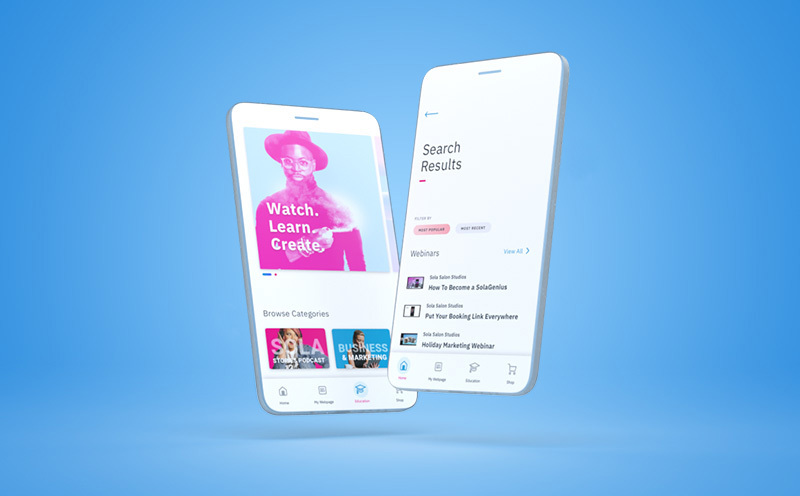
Whatever your mood for educational content, we’ve got you covered! Whether you want to listen to the latest Sola Stories podcast episode, watch a recent marketing webinar, learn a new technique from your favorite educator, or read a blog to help you stay inspired, you’ll find an array of different types of education to keep you running your Sola like a boss!
When you click inside Categories, you can now filter content based on “Most Popular” or “Recently Added.”
Recent Webinars and Blog Posts
The Sola team is creating content daily. Now, you don’t have to look anywhere but your Sola Pro app for all the latest blog posts and recent webinars.
Events
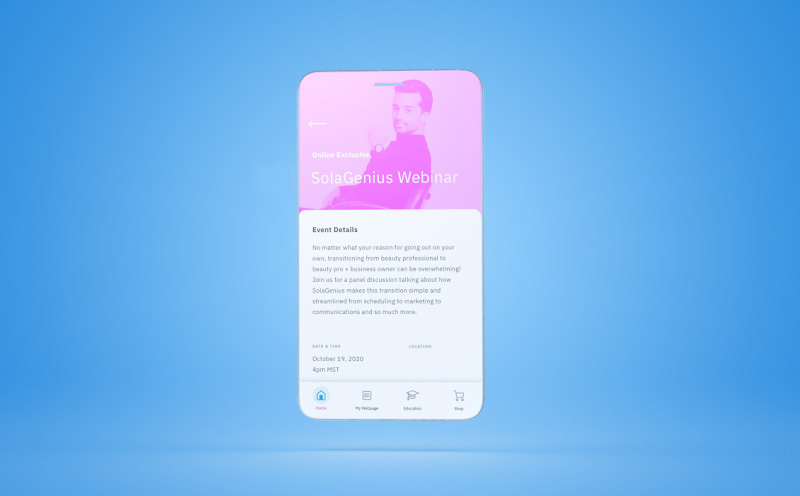
With events shifting to virtual for the foreseeable future, now you can stay in-the-know with upcoming online classes, webinars, Facebook lives, and even local socially-distanced events coordinated by your Sola franchisee or manager.
 My Sola Pro Webpage
Did you know the Sola website gets over one million visitors per month?! Many of these visitors come to our site looking for a new professional to satisfy their beauty needs. This is why creating a Sola webpage that shines is essential, and a powerful way to increase your online presence and keep your books full!
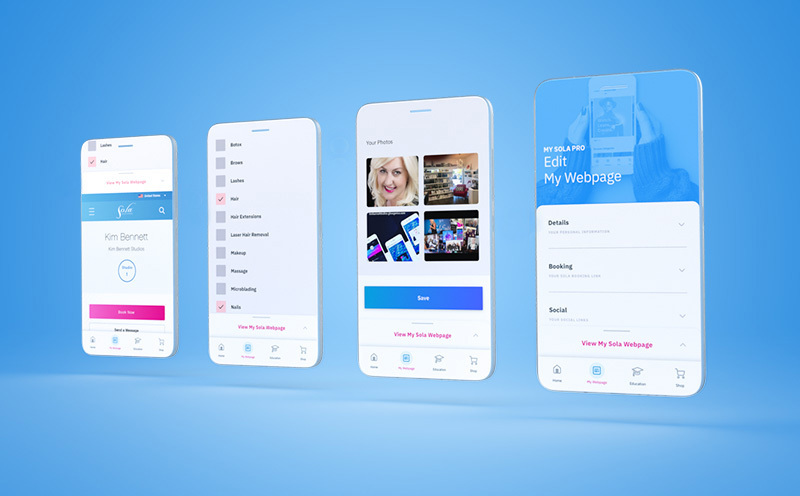
Now, you can update your Sola webpage in Sola Pro more easily than ever!
Here are our favorite improvements:
Photo library: Choose images of any size for your photo library. Once they're approved by your manager, you can edit and rearrange them however you'd like.
Approval Process: Your franchisee or manager still needs to approve your updates, but we’ve made the process easier for them, which will make turnaround time quicker.
To view your approved webpage, simply click the "View My Sola Webpage" button.
Shop
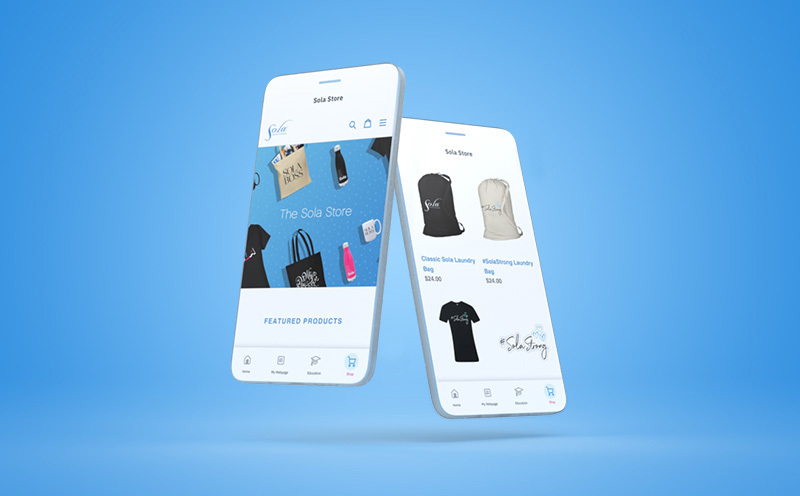
From an entire #SolaStrong collection (including laundry bags, reusable masks, apparel and stickers) to drinkware, Sola tees, capes, aprons, wine glasses, and more - the Sola Store lets you rock your Sola pride in style!
Powerful Search
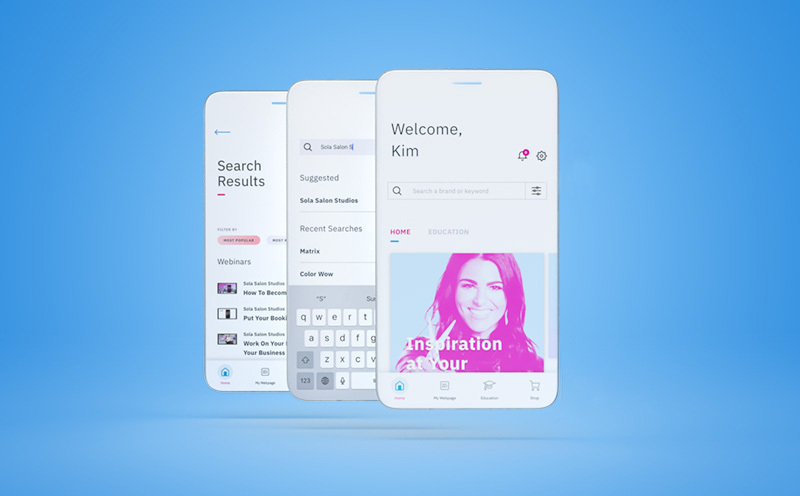
Search by keyword, style, brand, or interest and quickly find all relevant content. Use the filter button next to the search bar to view all brands inside Sola Pro.
Notifications
Get notified when new deals are added, registration is open for online classes, new videos are uploaded, and more!
Account Settings
Your Account Settings is where you can edit your interests and favorite brands, as well as access viewed videos, update your password, and read important FAQs.
Bottom Navigation
Easily navigate back to the home screen, your Sola webpage, the Education section, or the Shop page with Sola Pro’s new navigation icons located at the bottom of your screen.
Sola Pro FAQs:
Why is it important to update your webpage?
As stated above, the Sola website gets around 1,000,000 visitors each month. Because of this high volume of traffic, your Sola webpage will often show up at the top of search results (even before your own personal website), resulting in more potential clients discovering you.
What's the approval process for my webpage? And what if I don't see my changes update on my Sola webpage right away?
Once you submit changes to your bio, an email is sent to your Sola manager who then must approve to make your changes live. If you don't see the changes right away, chances are your manager simply hasn't seen the email yet.
How do I build out an awesome webpage?
Make your webpage rock with a handful of quality images, a booking link, hours of operation, a robust bio, and lots of testimonials! Paint a beautiful picture for potential clients that shows them why they should book with you.
What if I don't see my favorite brand in Sola Pro?
We're continually adding new content to Sola Pro! Keep checking back to find content from new brands.
What’s the difference between Sola Pro and SolaGenius?
Sola Pro is our free app for all Sola professionals that gives you exclusive deals, access to hundreds of videos and webinars, and keeps you connected to the beauty industry. SolaGenius is our all-in-one salon management platform that includes point-of-sale, scheduling, booking, text message marketing, analytics and reporting, and so much more! SolaGenius is exclusively offered to Sola professionals for $20/month.
What if I don't see my SolaGenius booking link on my webpage?
When you sign up for SolaGenius, your booking link should automatically populate on your Sola webpage. However, if you're not seeing it, please contact your studio manager who will reach out to the Sola Home Office to help remediate.
Why don't I see any events occurring near me?
Local events are uploaded to Sola Pro by Sola managers. If you don't see an event occurring near you, talk to your manager about classes that are of interest to you!